
Note
Go to the end to download the full example code.
Collapse an IFC building into a single UnstructuredGrid#
IFC files arrive as deeply-nested pyvista.MultiBlock trees
(building / storey / element). For some downstream analyses you want
one mesh, with each cell tagged by its source element. Combine the
tree and carry an element id onto cell data so downstream code can
filter by element without walking the tree.
This uses a real BIM model: the buildingSMART “Single-family house” sample (CC-BY 4.0, buildingSMART International), an IFC4 project with a full site / building / storey hierarchy, walls, slabs, and property sets.
import numpy as np
import pandas as pd
import pyvista as pv

import pyvista_cad
from pyvista_cad.examples import downloads
Read the real IFC building.
Drop stray geo-reference / survey markers placed far from the house (a robust MAD test on block position, not a brittle name/type rule) so they do not skew the combined grid’s bounds.
Tag each leaf block’s cells with a numeric id and its IFC type,
then combine into a single UnstructuredGrid.
rows = []
for i, (path, block) in enumerate(mb.cad.walk()):
    if not isinstance(block, pv.DataSet) or block.n_cells == 0:
        continue
    block['element_id'] = np.full(block.n_cells, i, dtype=np.int32)
    rows.append(
        {
            'element_id': i,
            'path': str(path),
            'ifc_type': block.field_data.get('cad.ifc_type', [b''])[0],
        }
    )

combined = mb.combine(merge_points=False)
pd.DataFrame(rows)
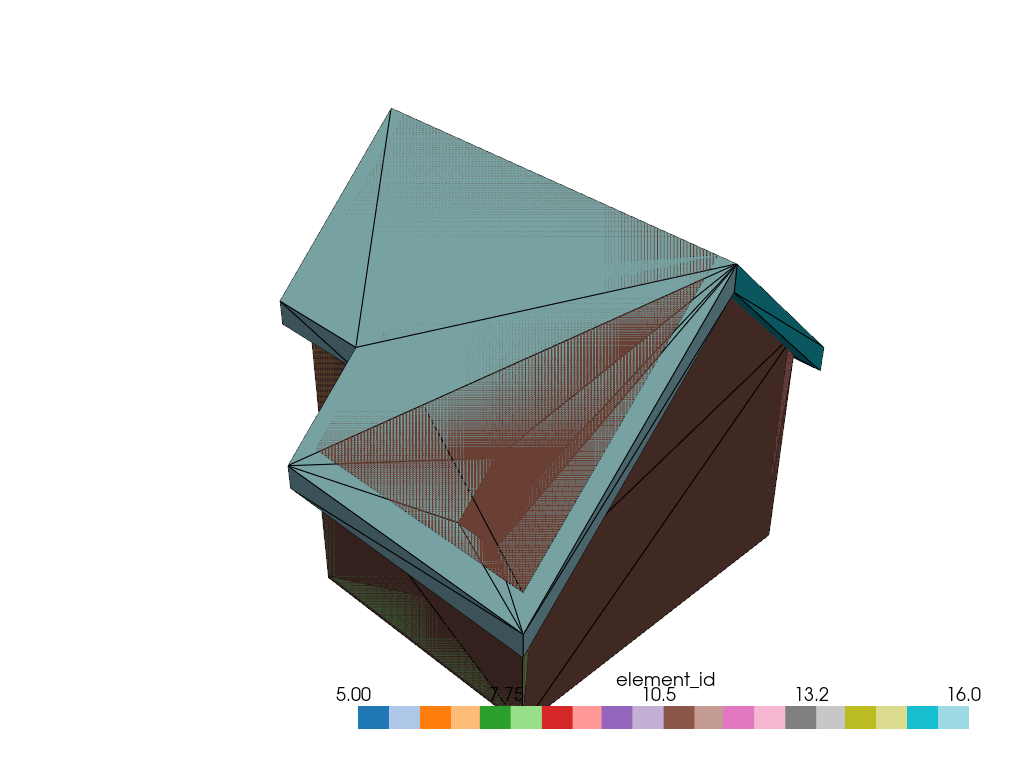
The combined grid carries element_id on its cells.
Render the building colored by element id.
pl = pv.Plotter()
pl.add_mesh(combined, scalars='element_id', cmap='tab20', show_edges=True, edge_color='black')
pl.show()
Total running time of the script: (0 minutes 0.595 seconds)