
Interop with build123d#
pyvista-cad renders build123d
shapes directly. Every build123d shape
can be tessellated to a pv.PolyData (or pv.MultiBlock for
Compound assemblies) with a single call.
Single shape#
import build123d as b3d
import pyvista_cad

solid = b3d.Box(10, 10, 10) - b3d.Cylinder(3, 12)
mesh = pyvista_cad.from_build123d(solid)
mesh.cad.plot()   # CAD-friendly: faces + topological edges
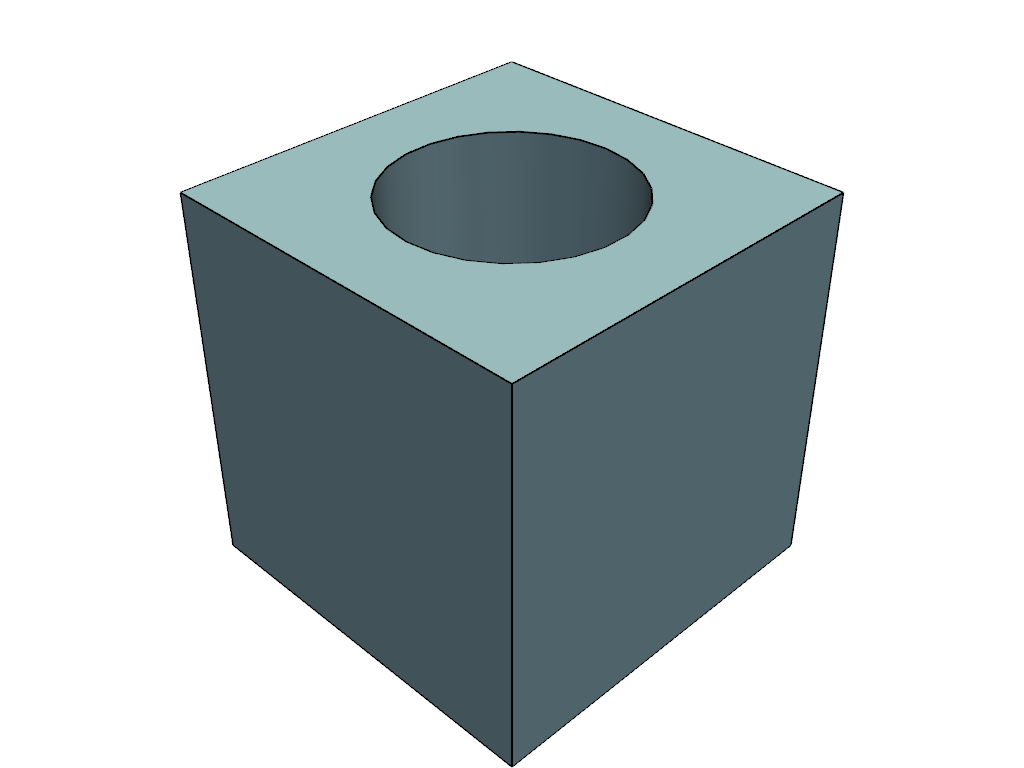
The default tessellation uses OCCT’s BRepMesh_IncrementalMesh with
linear_deflection=0.1 and angular_deflection=0.5. Tighten both for
curved surfaces:
fine = pyvista_cad.from_build123d(
    b3d.Sphere(5.0),
    linear_deflection=0.05,
    angular_deflection=0.2,
)
Compounds become MultiBlocks#
A build123d Compound with labelled children round-trips to a
pv.MultiBlock whose block names match the labels. Per-block colour
and label metadata are written to cad.color / cad.label field data
so they survive every downstream PyVista filter.
box = b3d.Box(2, 2, 2)
cyl = b3d.Cylinder(0.8, 2.5)
box.label = 'housing'
cyl.label = 'shaft'
compound = b3d.Compound(children=[box, cyl])

mb = pyvista_cad.from_build123d(compound)
assert mb.keys() == ['housing', 'shaft']
PolyData -> build123d#
to_build123d wraps a tessellated pv.PolyData as a faceted
TopoDS_Compound re-typed to a build123d Compound. The result is a
real build123d object you can hand to its STEP / BREP exporters.
import pyvista as pv

mesh = pv.Cone(resolution=24)
compound = pyvista_cad.to_build123d(mesh)
bbox = compound.bounding_box()
Accessor-style entry point#
Construction goes through the module-level functions; the .cad
accessor then exposes the per-mesh operations:
mesh = pyvista_cad.from_build123d(solid)
mesh.cad.tessellate(linear_deflection=0.05)
When to use which bridge#
You have |
Call |
You get |
|---|---|---|
|
|
|
|
|
|
raw |
|
|
|
|
shape object |