
Note
Go to the end to download the full example code.
Walk a real STEP assembly#
The cad accessor on MultiBlock provides three traversal
helpers: walk yields (path, block) pairs, find filters by
glob or metadata predicates, and flatten collapses the tree to a
single-level container with path-named entries.
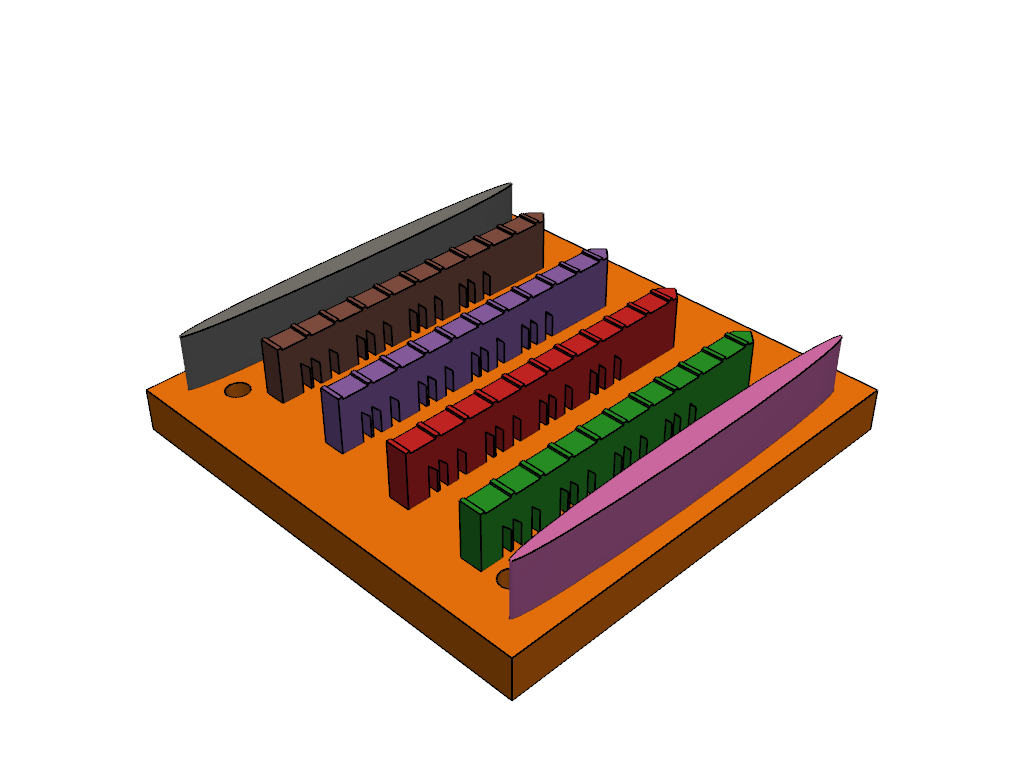
This walks a real multi-part STEP assembly: the NIST AM Bench 2022 build-plate layout (public domain, https://doi.org/10.18434/mds2-2607) – a tapped substrate plate with four bridge specimens and two recoater guides, each a named product, exactly the structure that lands on a developer’s desk.
import pandas as pd
import pyvista as pv

import pyvista_cad
from pyvista_cad.examples import downloads
Load the real STEP assembly.
Walk the tree: each leaf is a named product.
rows = []
for path, block in root.cad.walk():
    rows.append(
        {
            'path': str(path),
            'kind': type(block).__name__,
            'label': block.field_data.get('cad.label', [b''])[0],
            'cells': block.n_cells if isinstance(block, pv.DataSet) else 0,
        }
    )

pd.DataFrame(rows)
Filter by label glob (“give me every bridge specimen”), the same
pattern as globbing a BOM for 'M5_*'.
bridges = root.cad.find('*PartCAD*')
pd.DataFrame({'path': [str(p) for p, _ in bridges]})
Flatten to a single level.
list(root.cad.flatten().keys())
['AMMT_4x4x0_375_Substrate_Tapped', 'AMB2022-01-AMMT-PartCAD', 'AMB2022-01-AMMT-PartCAD', 'AMB2022-01-AMMT-PartCAD', 'AMB2022-01-AMMT-PartCAD', 'AMB2022-01-AMMT-RecoaterGuideCAD', 'AMB2022-01-AMMT-RecoaterGuideCAD']
Render the source assembly CAD-friendly: shaded faces with the topological edges overlaid, one colour per part.
pl = pv.Plotter()
pl.cad.add(root, multi_colors=True)
pl.show()
Total running time of the script: (0 minutes 1.032 seconds)