
Note
Go to the end to download the full example code.
Split a DXF drawing by layer#
Use the .cad accessor to fan a single pyvista.PolyData
back out into a pyvista.MultiBlock keyed by layer name. Each
block contains only the cells originally drawn on that layer.
This example uses a real multi-layer DXF from the ezdxf project (MIT)
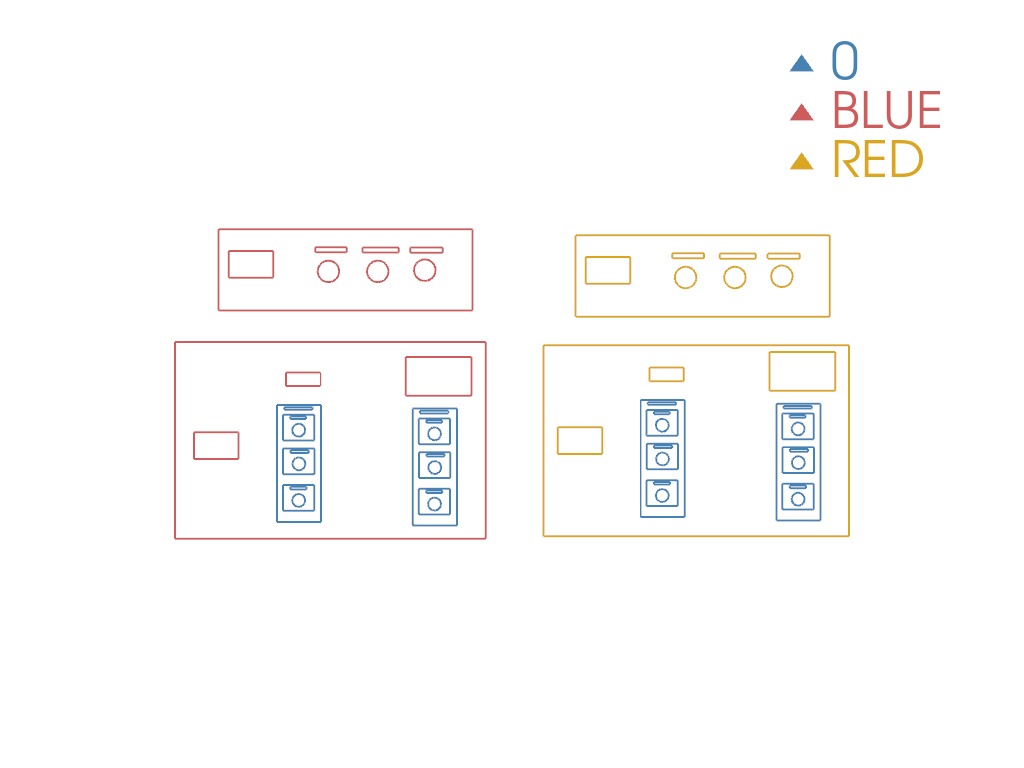
with entities on layers 0, BLUE, RED, so the layer split
is non-trivial, exactly what you face on a real PCB or architectural
DXF.
import pandas as pd
import pyvista as pv

import pyvista_cad
from pyvista_cad.examples import downloads
Read the real drawing.
Split by layer. Each child PolyData keeps the
cad.layer cell-data array so further reshuffles round-trip.
by_layer = drawing.cad.split_by_layer()
pd.DataFrame(
    [
        {'layer': name, 'cells': block.n_cells}
        for name, block in zip(by_layer.keys(), by_layer)
        if block is not None
    ]
)
Render each layer with its own color so the drawing’s logical structure is immediately visible.
pl = pv.Plotter()
palette = ['steelblue', 'indianred', 'goldenrod', 'mediumseagreen', 'orchid', 'slategray']
for i, (name, block) in enumerate(zip(by_layer.keys(), by_layer)):
    if block is None or block.n_cells == 0:
        continue
    pl.add_mesh(block, color=palette[i % len(palette)], line_width=2, label=str(name))
pl.add_legend()
pl.view_xy()
pl.show()
Total running time of the script: (0 minutes 0.199 seconds)