
Note
Go to the end to download the full example code.
Inspect a STEP assembly#
A STEP file with multiple parts arrives as a
pyvista.MultiBlock. Per-part labels and colors are attached
as cad.label / cad.color field data. Use .cad.find and
.cad.walk to navigate the tree.
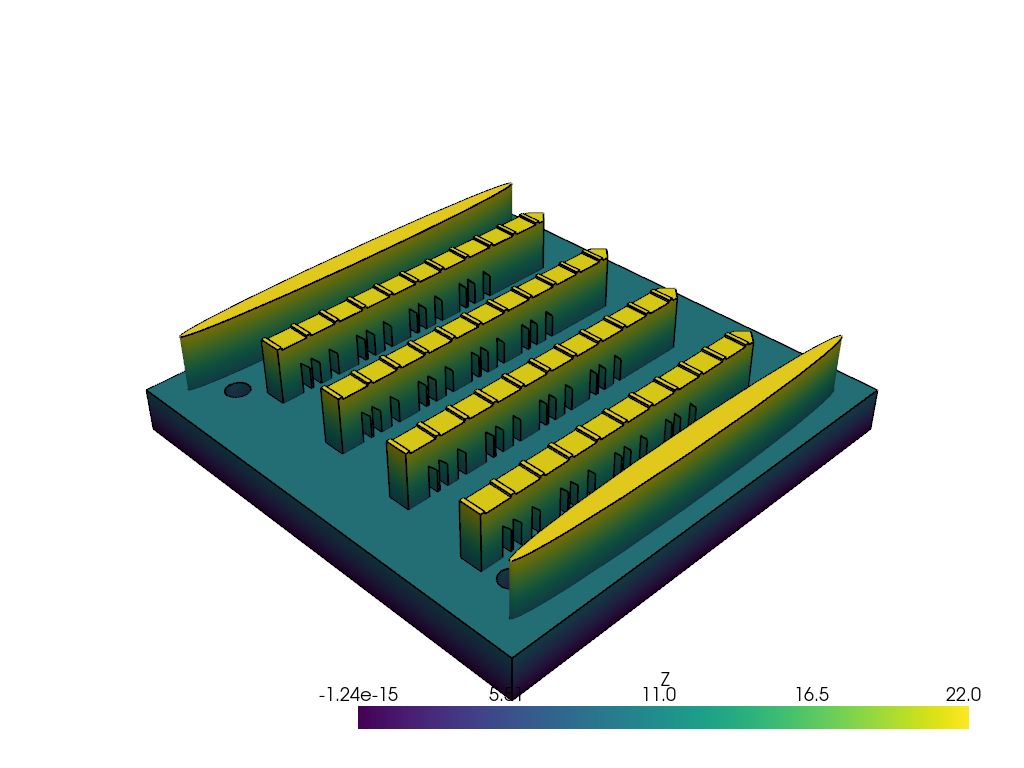
This example loads a real multi-part STEP assembly, the NIST AM Bench 2022 build-plate layout (public domain, https://doi.org/10.18434/mds2-2607): a tapped substrate plate, four bridge specimens, and two recoater guides. It walks the metadata you can pull off any STEP assembly that lands on your desk.
import pandas as pd
import pyvista as pv

import pyvista_cad
from pyvista_cad.examples import downloads
Read the real assembly.
Walk the tree. Each block carries its OCCT label and an optional color tuple.
rows = []
for path, block in mb.cad.walk():
    color = block.field_data.get('cad.color', None)
    rows.append(
        {
            'path': str(path),
            'label': block.field_data.get('cad.label', [b''])[0],
            'color': [round(float(c), 3) for c in color]
            if color is not None and len(color)
            else None,
            'cells': block.n_cells,
        }
    )
pd.DataFrame(rows)
Source format and units round-trip on the container.
pd.DataFrame(
    {
        'source_format': [mb.field_data.get('cad.source_format', [b''])[0]],
        'units': [mb.field_data.get('cad.units', [b''])[0]],
    }
)
Flatten: collapse arbitrary nesting to a single level.
list(mb.cad.flatten().keys())
['AMMT_4x4x0_375_Substrate_Tapped', 'AMB2022-01-AMMT-PartCAD', 'AMB2022-01-AMMT-PartCAD', 'AMB2022-01-AMMT-PartCAD', 'AMB2022-01-AMMT-PartCAD', 'AMB2022-01-AMMT-RecoaterGuideCAD', 'AMB2022-01-AMMT-RecoaterGuideCAD']
Render colored by Z.
for _, part in mb.cad.walk():
    part['Z'] = part.points[:, 2]
pl = pv.Plotter()
pl.cad.add(mb, scalars='Z', cmap='viridis')
pl.show()
Total running time of the script: (0 minutes 1.071 seconds)