
Note
Go to the end to download the full example code.
cadquery -> PyVista#
Convert a cadquery Workplane straight to a pyvista.PolyData
by tessellating its underlying OCCT shape.
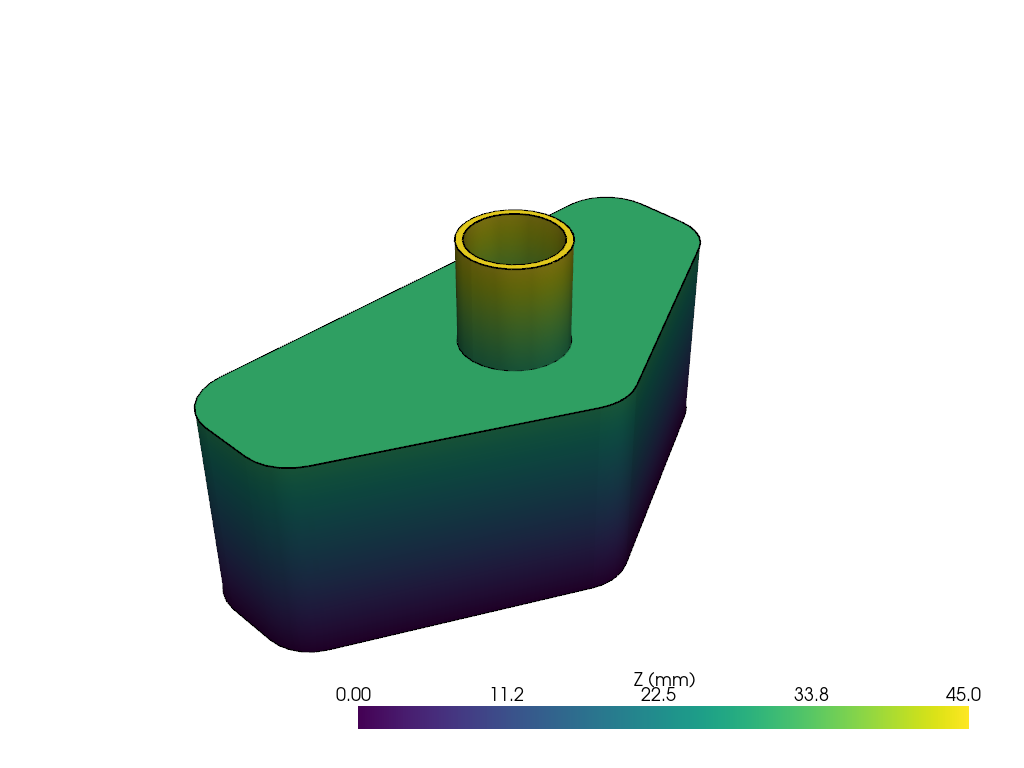
This example mirrors cadquery’s classic OCC bottle demo (a swept, filleted, hollowed bottle body), which is the canonical proof that a cadquery script can produce real CAD geometry, not just a primitive.
import cadquery as cq
import pyvista as pv

import pyvista_cad
Adapted from cadquery’s examples/Ex030_Classic_OCC_Bottle.py: a
swept rectangular base with semicircular ends, a neck cylinder, and
a hollow interior.
L, w, t = 80.0, 40.0, 30.0

points = [
    (0.0, -w / 2),
    (L / 2, -w / 2),
    (L / 2, 0),
    (0.0, w / 2),
    (-L / 2, 0),
    (-L / 2, -w / 2),
    (0.0, -w / 2),
]

bottle = (
    cq.Workplane('XY')
    .polyline(points)
    .close()
    .extrude(t)
    .edges('|Z')
    .fillet(t / 4)
    .faces('>Z')
    .workplane()
    .circle(t / 4)
    .extrude(t / 2)
    .faces('>Z')
    .shell(-1.0)
)
Convert with a fine deflection so the curved fillets are smooth.
mesh = pyvista_cad.from_cadquery(bottle, linear_deflection=0.2)
mesh
Render colored by Z so the neck and base both read.
mesh['Z (mm)'] = mesh.points[:, 2]

pl = pv.Plotter()
pl.cad.add(mesh, scalars='Z (mm)', cmap='viridis')
pl.show()
Total running time of the script: (0 minutes 0.762 seconds)