
Note
Go to the end to download the full example code.
build123d Compound -> MultiBlock#
A build123d Compound with labelled children becomes a
pyvista.MultiBlock whose block names match the child labels.
Per-block cad.label and cad.color field data are preserved.
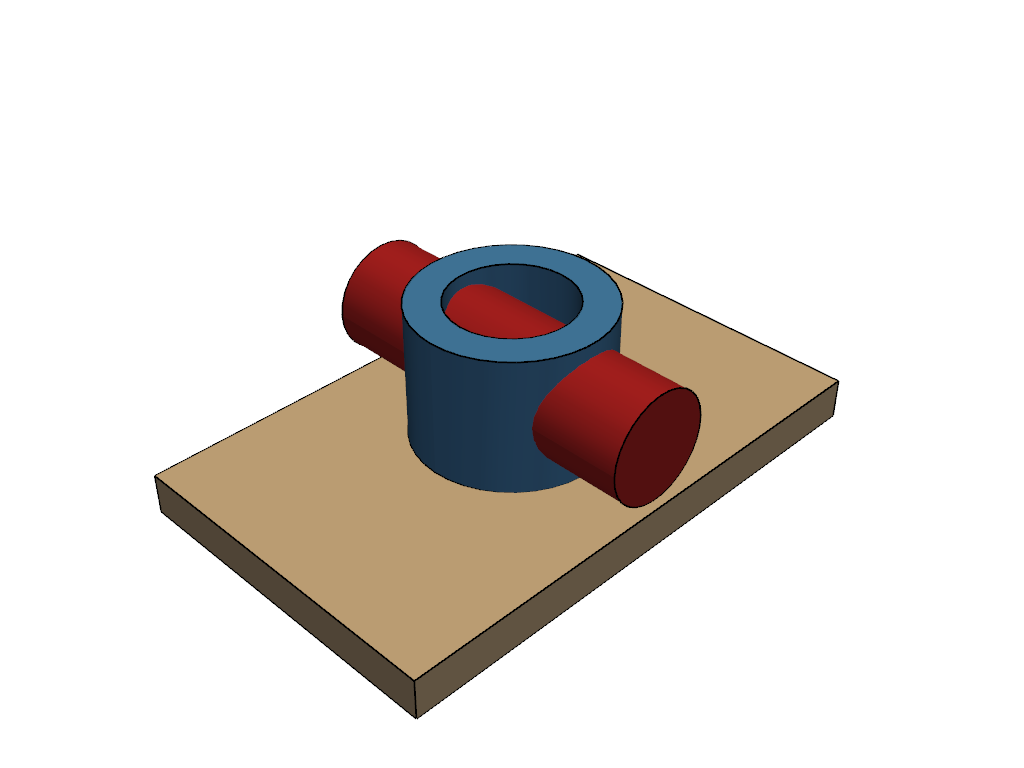
This example builds a real motor-mount-style assembly (a base plate, a bearing housing with a bore, and a shaft) with each part labelled to mirror a real engineering BOM (bill of materials).
import build123d as b3d
import pyvista as pv

import pyvista_cad
Build a labelled multi-part assembly.
base = b3d.Box(80.0, 50.0, 6.0, align=(b3d.Align.MIN, b3d.Align.MIN, b3d.Align.MIN))
base.label = 'base_plate'

housing = b3d.Pos(40.0, 25.0, 6.0) * b3d.Cylinder(
    radius=14.0,
    height=20.0,
    align=(b3d.Align.CENTER, b3d.Align.CENTER, b3d.Align.MIN),
) - b3d.Pos(40.0, 25.0, 6.0) * b3d.Cylinder(
    radius=9.0,
    height=22.0,
    align=(b3d.Align.CENTER, b3d.Align.CENTER, b3d.Align.MIN),
)
housing.label = 'bearing_housing'

shaft = b3d.Pos(40.0, 25.0, 16.0) * b3d.Cylinder(
    radius=8.0,
    height=50.0,
    align=(b3d.Align.CENTER, b3d.Align.CENTER, b3d.Align.CENTER),
    rotation=(90.0, 0.0, 0.0),
)
shaft.label = 'shaft'

compound = b3d.Compound(children=[base, housing, shaft])
Convert. Labels surface as MultiBlock keys.
mb = pyvista_cad.from_build123d(compound, linear_deflection=0.2)
mb
Render each part CAD-style (analytic smooth-shaded faces with the
model’s topological edges, no triangle-mesh noise) in its own color
so the BOM structure reads. Passing the build123d parts straight to
pl.cad.add routes through the per-face B-rep path; the tessellated
mb above is the conversion result, not the render source.
colors = ['tan', 'steelblue', 'firebrick']
pl = pv.Plotter()
for part, color in zip(compound.children, colors):
    pl.cad.add(part, color=color)
pl.view_isometric()
pl.show()
Total running time of the script: (0 minutes 0.355 seconds)