
Note
Go to the end to download the full example code.
PyVista -> build123d#
Wrap a pyvista.PolyData as a build123d Compound of
faceted triangles, then push it onward to STEP through build123d’s
native exporter. This is the canonical “scanned mesh into a CAD
pipeline” flow.
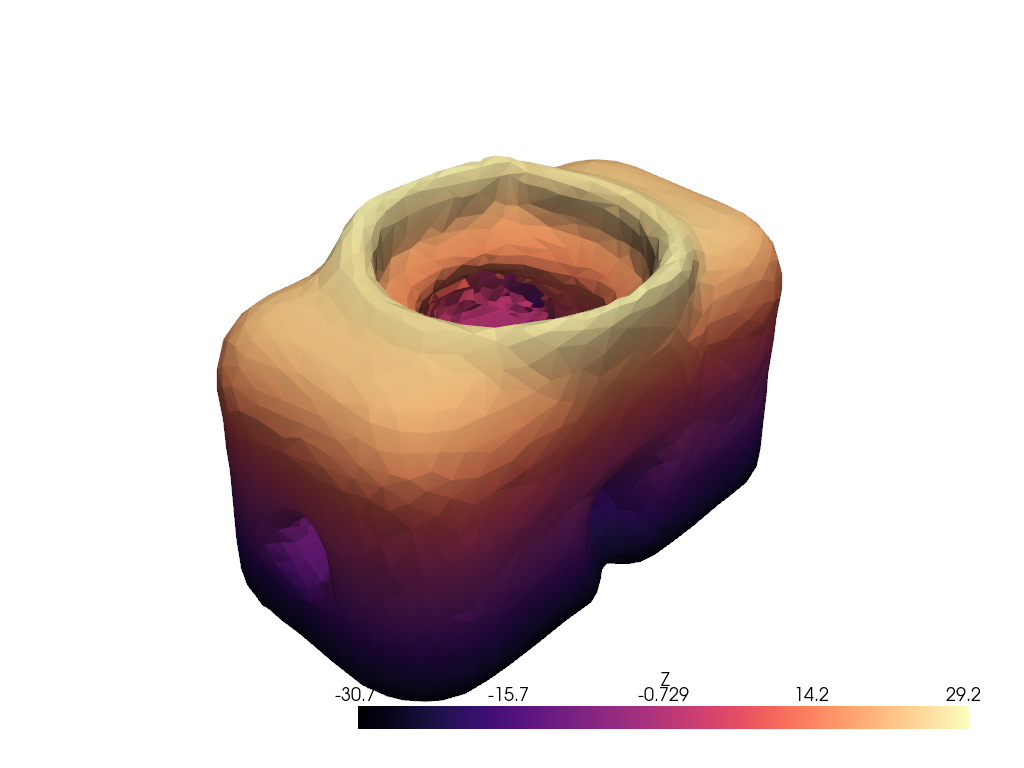
This example uses a real 3D scan: the T-LESS object-5 reconstruction from real Primesense RGB-D scans (CC-BY 4.0, Hodaň et al., WACV 2017). We decimate it for a tractable facet count, wrap it as a build123d Compound, query its bounding box, and export a STEP file fit for downstream CAM.
from pathlib import Path
import tempfile

import build123d as b3d
import pyvista as pv

import pyvista_cad
from pyvista_cad.examples import downloads
Load the real scan and decimate it to a tractable triangle count.
_, scan_path = downloads.scan_pair_paths()
mesh = pv.read(scan_path).extract_surface().triangulate()
mesh = mesh.decimate(0.85)
mesh
/home/runner/work/pyvista-cad/pyvista-cad/examples/03_bridges/to_build123d.py:32: PyVistaFutureWarning: The default value of `algorithm` for the filter
`PolyData.extract_surface` will change in the future. It currently defaults to
`'dataset_surface'`, but will change to `None`. Explicitly set the `algorithm` keyword to
silence this warning.
  mesh = pv.read(scan_path).extract_surface().triangulate()
Wrap as a build123d Compound and query its bounding box.
compound = pyvista_cad.to_build123d(mesh)
compound.bounding_box()
bbox: -48.39944839477539 <= x <= 48.19212341308594, -28.429059982299805 <= y <= 27.600967407226562, -30.655702590942383 <= z <= 29.1978816986084
Export the compound straight to STEP: the typical hand-off for CAM.
Round-trip back to PyVista for rendering.
back = pyvista_cad.from_build123d(compound)
back['Z'] = back.points[:, 2]

pl = pv.Plotter()
pl.cad.add(back, scalars='Z', cmap='magma')
pl.show()
Total running time of the script: (0 minutes 6.528 seconds)