
Note
Go to the end to download the full example code.
Write a DXF drawing#
Round-trip a real 2D drawing through PyVista back out to DXF. The
layer assignment of every cell is preserved on the cad.layer
array.
This example loads a real multi-layer DXF from the ezdxf project
(MIT), with entities on layers 0, BLUE, RED, writes it back
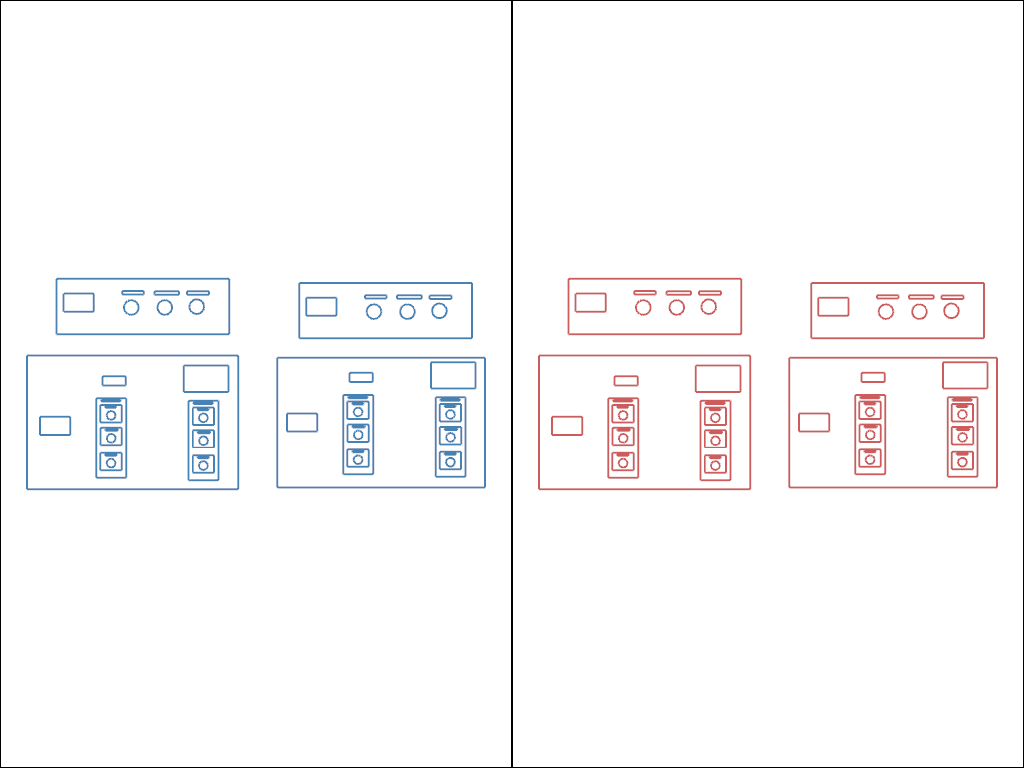
to a new DXF, and renders the source and the round-tripped result
side by side so any loss of detail is immediately visible.
from pathlib import Path
import tempfile

import pyvista as pv

import pyvista_cad
from pyvista_cad.examples import downloads
Load the real drawing.
Write back. layer_array='cad.layer' is the default; every cell
returns to its originating layer.
with tempfile.TemporaryDirectory() as tmp:
    out = Path(tmp) / 'roundtrip.dxf'
    src.cad.to_dxf(out)
    rt = pyvista_cad.read_dxf(out)

rt
Render side by side so any geometric drift is immediately visible.
pl = pv.Plotter(shape=(1, 2))
pl.subplot(0, 0)
pl.add_mesh(src, color='steelblue', show_edges=True, line_width=2)
pl.view_xy()
pl.subplot(0, 1)
pl.add_mesh(rt, color='indianred', show_edges=True, line_width=2)
pl.view_xy()
pl.link_views()
pl.show()
Total running time of the script: (0 minutes 0.276 seconds)