
Note
Go to the end to download the full example code.
Write a faceted STEP file#
Send a tessellated mesh back to a STEP file via OCCT’s
STEPControl_Writer. The result is faceted (triangulated), not a
B-rep reconstruction, ideal for downstream tools that accept STEP
for visualization or CAM but do not require analytical surfaces.
This example takes a real 3D scan, the T-LESS object-5 reconstruction from Primesense RGB-D scans (CC-BY 4.0, Hodaň et al., WACV 2017), decimates it to a CAM-friendly facet count, and writes it to a faceted STEP: the canonical “scanned mesh into a CAD/CAM pipeline” hand-off.
from pathlib import Path
import tempfile

import numpy as np
import pyvista as pv

import pyvista_cad
from pyvista_cad.examples import downloads
Load the real scan. A faceted STEP carries one face per triangle, so decimation is the routine prep before this hand-off.
_, scan_path = downloads.scan_pair_paths()
src = pv.read(scan_path).extract_surface().triangulate().decimate(0.8)
src.field_data['cad.units'] = np.array(['mm'])
src
/home/runner/work/pyvista-cad/pyvista-cad/examples/02_writers/write_step_faceted.py:33: PyVistaFutureWarning: The default value of `algorithm` for the filter
`PolyData.extract_surface` will change in the future. It currently defaults to
`'dataset_surface'`, but will change to `None`. Explicitly set the `algorithm` keyword to
silence this warning.
  src = pv.read(scan_path).extract_surface().triangulate().decimate(0.8)
Write a faceted STEP.
path = Path(tempfile.mkdtemp()) / 'tless_obj5_faceted.step'
pyvista_cad.write_step(src, path)
Read back. The output is a faceted STEP; check the cell count tracks the source tessellation.
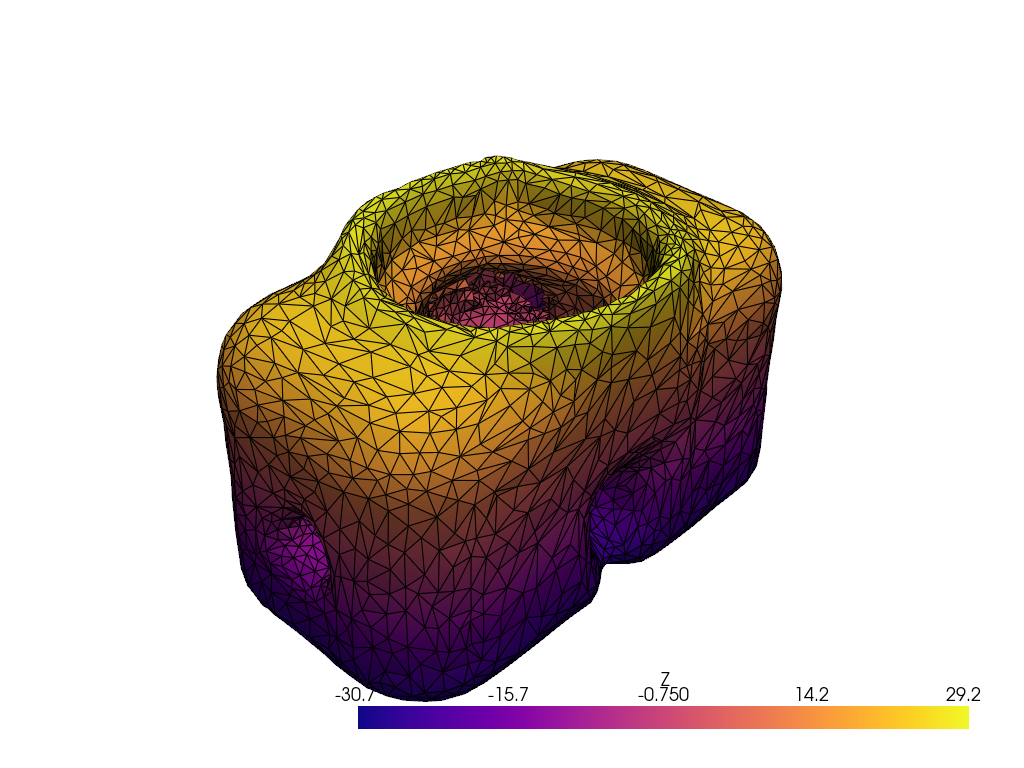
Render colored by Z.
surface = out.combine().extract_surface()
surface['Z'] = surface.points[:, 2]

pl = pv.Plotter()
pl.add_mesh(surface, scalars='Z', cmap='plasma', show_edges=True, edge_color='black')
pl.show()
/home/runner/work/pyvista-cad/pyvista-cad/examples/02_writers/write_step_faceted.py:53: PyVistaFutureWarning: The default value of `algorithm` for the filter
`UnstructuredGrid.extract_surface` will change in the future. It currently defaults to
`'dataset_surface'`, but will change to `None`. Explicitly set the `algorithm` keyword to
silence this warning.
  surface = out.combine().extract_surface()
Total running time of the script: (0 minutes 9.910 seconds)