
Note
Go to the end to download the full example code.
Write a BREP file#
Serialize a tessellated pyvista.PolyData as a faceted
TopoDS_Compound in OpenCASCADE’s native BREP format. BREP is the
canonical handoff to any OCCT-aware tool (FreeCAD, build123d,
cadquery).
This example loads a real STEP fixture, the NIST AM Bench 2022 recoater-guide part (public domain, https://doi.org/10.18434/mds2-2607), writes it out to BREP, and reads it back, confirming the round-trip preserves geometry that downstream OCCT code can consume.
from pathlib import Path
import tempfile

import pyvista as pv

import pyvista_cad
from pyvista_cad.examples import downloads
Load the real part and write it to BREP.
src = pyvista_cad.read_step(downloads.step_recoater_path()).combine().extract_surface()
path = Path(tempfile.mkdtemp()) / 'recoater.brep'
pyvista_cad.write_brep(src, path)
/home/runner/work/pyvista-cad/pyvista-cad/examples/02_writers/write_brep.py:30: PyVistaFutureWarning: The default value of `algorithm` for the filter
`UnstructuredGrid.extract_surface` will change in the future. It currently defaults to
`'dataset_surface'`, but will change to `None`. Explicitly set the `algorithm` keyword to
silence this warning.
  src = pyvista_cad.read_step(downloads.step_recoater_path()).combine().extract_surface()
Read back and verify the tessellation reproduces the source.
poly = pyvista_cad.read_brep(path, linear_deflection=0.1)
poly
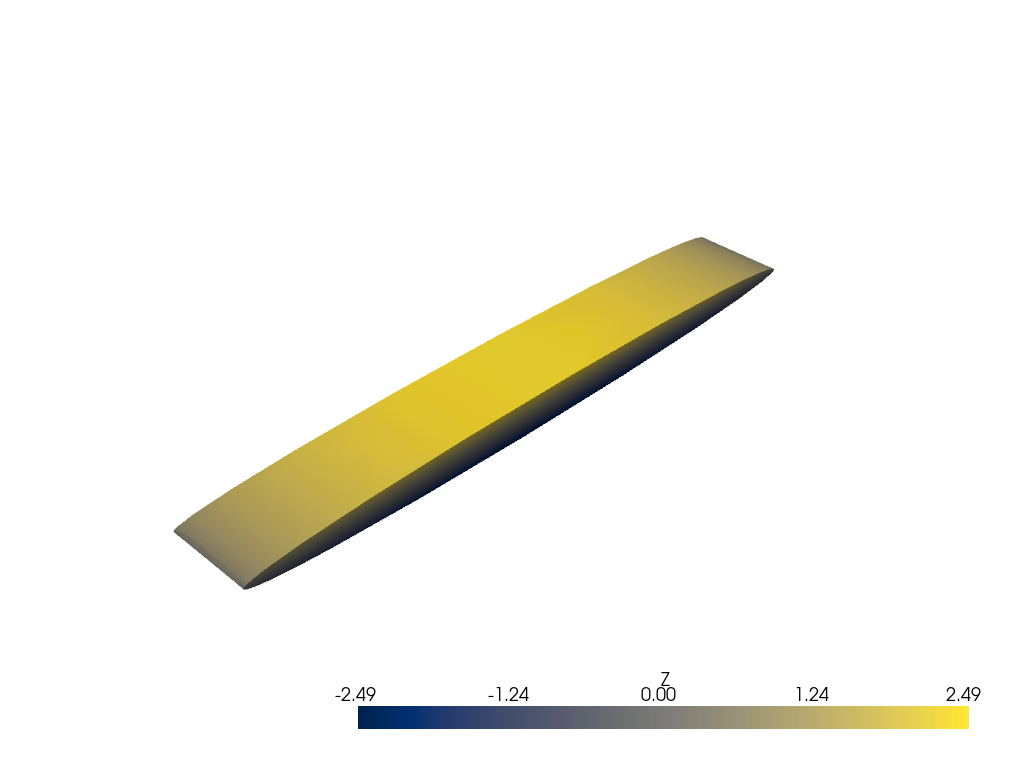
Render colored by Z.
poly['Z'] = poly.points[:, 2]

pl = pv.Plotter()
pl.cad.add(poly, scalars='Z', cmap='cividis')
pl.show()
Total running time of the script: (0 minutes 0.359 seconds)