
Note
Go to the end to download the full example code.
Read a FreeCAD document#
.FCStd is FreeCAD’s native document format: a zip archive carrying
Document.xml plus one BREP per part. pyvista_cad.read_fcstd
parses the manifest and tessellates the BREPs via OCP, no FreeCAD
binary required.
This example reads a real part straight from the FreeCAD parts library
(CC-BY 3.0, FreeCAD-library contributors): an M3 nyloc lock nut, and
walks the resulting pyvista.MultiBlock.
Why this matters: FreeCAD is the dominant open-source MCAD package. Reading FCStd without a FreeCAD install lets analysis pipelines pick up community parts directly.
import pyvista as pv

import pyvista_cad
from pyvista_cad.examples import downloads
Read the real FCStd document.
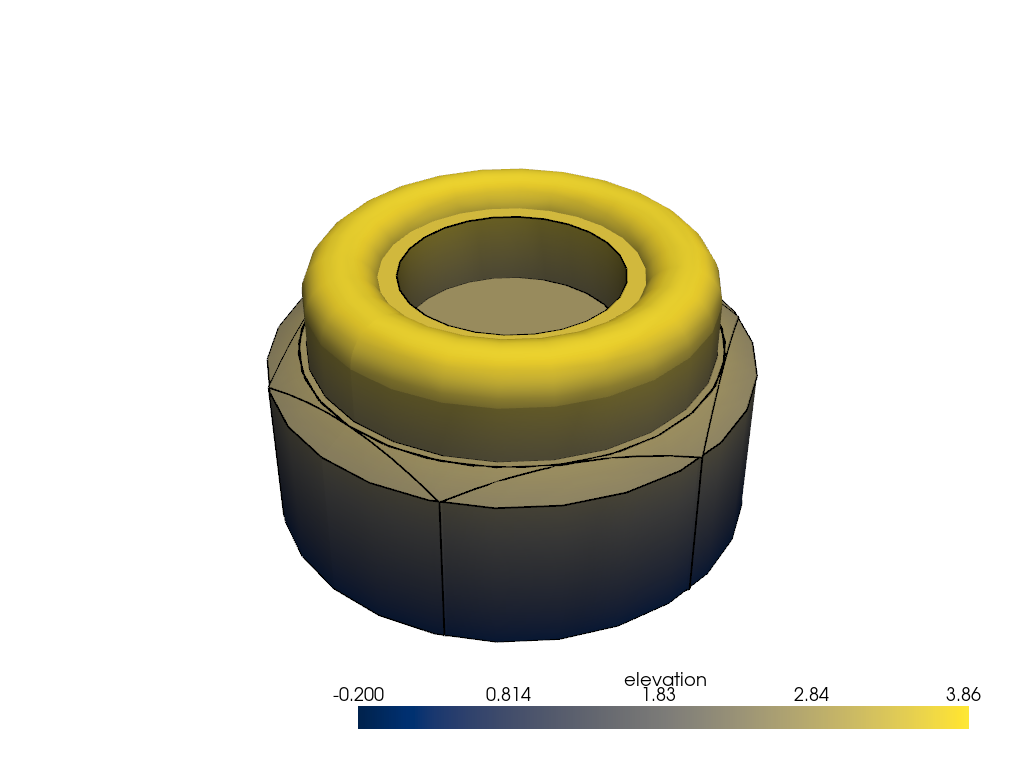
Render the nut.
for _, part in mb.cad.walk():
    part['elevation'] = part.points[:, 2]

pl = pv.Plotter()
pl.cad.add(mb, scalars='elevation', cmap='cividis')
pl.show()
Total running time of the script: (0 minutes 0.764 seconds)