
Note
Go to the end to download the full example code.
Read a DXF drawing#
DXF is the dominant 2D interchange format: mechanical drawings, PCB
outlines, architectural floor plans. This example loads a real DXF
drawing from the ezdxf project (MIT) whose entities span three named
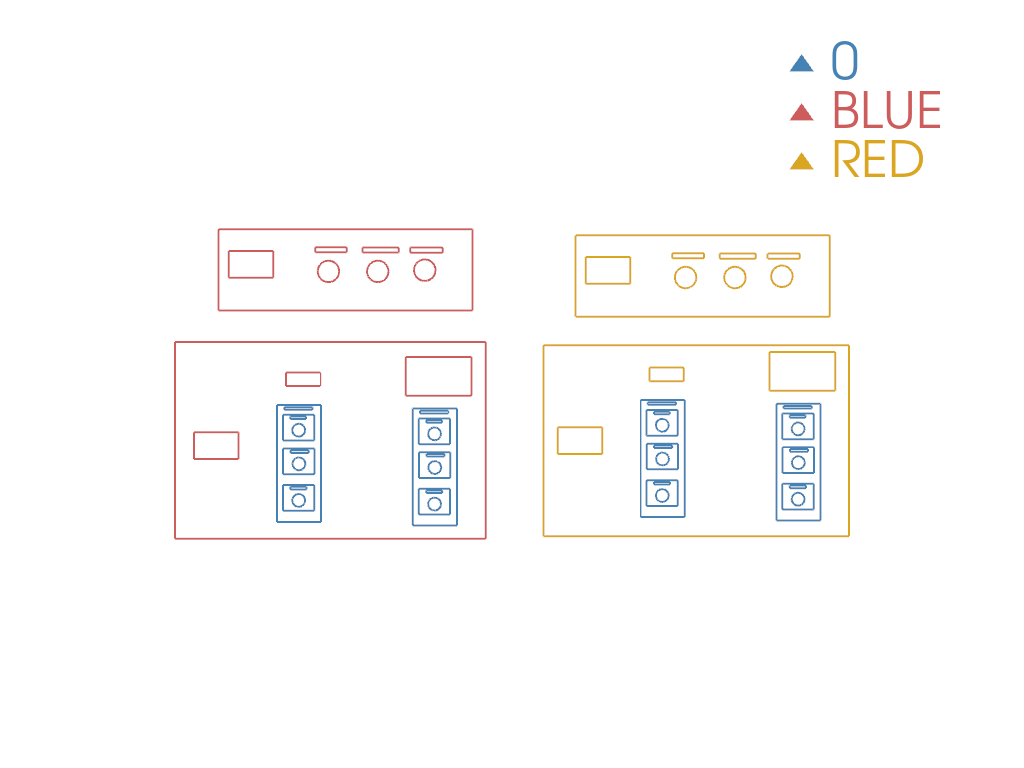
layers (0, BLUE, RED), and shows how every drawable
entity becomes a cell on a single pyvista.PolyData with its
originating layer preserved on the cad.layer cell-data array.
Why this matters: knowing how to inspect DXF layers is the entry point for any 2D CAM, PCB, or architectural workflow that starts from a DXF.
import pyvista as pv

import pyvista_cad
from pyvista_cad.examples import downloads
Read the real multi-layer drawing.
DXF layer metadata round-trips via the .cad accessor.
['0', 'BLUE', 'RED']
Split the drawing by layer and render each in its own color: the typical first move for triaging an unknown DXF.
by_layer = drawing.cad.split_by_layer()
palette = ['steelblue', 'indianred', 'goldenrod', 'mediumseagreen', 'orchid', 'slategray']

pl = pv.Plotter()
for i, (name, block) in enumerate(zip(by_layer.keys(), by_layer)):
    if block is None or block.n_cells == 0:
        continue
    pl.add_mesh(block, color=palette[i % len(palette)], line_width=2, label=str(name))
pl.add_legend()
pl.view_xy()
pl.show()
Total running time of the script: (0 minutes 0.334 seconds)