
Note
Go to the end to download the full example code.
Read a BREP solid#
BREP is OpenCASCADE’s native shape serialization, the format every
OCCT-backed tool (FreeCAD, build123d, cadquery) can round-trip
losslessly. No openly licensed real-world .brep corpus exists, so
this example takes a real STEP part, the NIST AM Bench 2022 LPBF
bridge specimen (public domain, https://doi.org/10.18434/mds2-2607),
serializes it to BREP, and reads it back into
pyvista.PolyData.
Why this matters: BREP is the canonical handoff between OCCT-aware
tools. Tessellation parameters surface up through read_brep so you
can trade mesh density for geometric fidelity.
Load the real STEP part and serialize it to BREP.
from pathlib import Path
import tempfile

import pyvista as pv

import pyvista_cad
from pyvista_cad.examples import downloads

src = pyvista_cad.read_step(downloads.step_part_path()).combine().extract_surface()
brep_path = Path(tempfile.mkdtemp()) / 'part.brep'
pyvista_cad.write_brep(src, brep_path)
/home/runner/work/pyvista-cad/pyvista-cad/examples/01_readers/read_brep.py:29: PyVistaFutureWarning: The default value of `algorithm` for the filter
`UnstructuredGrid.extract_surface` will change in the future. It currently defaults to
`'dataset_surface'`, but will change to `None`. Explicitly set the `algorithm` keyword to
silence this warning.
  src = pyvista_cad.read_step(downloads.step_part_path()).combine().extract_surface()
Read the BREP back. linear_deflection controls the mesher.
poly = pyvista_cad.read_brep(brep_path, linear_deflection=0.1)
poly
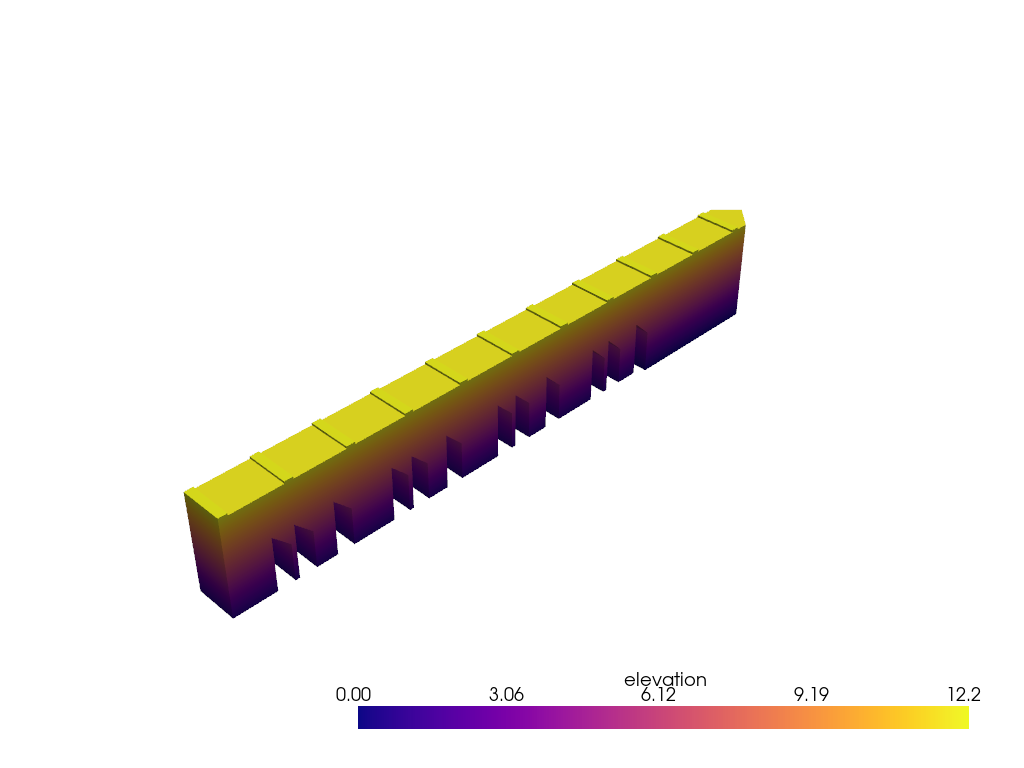
Render CAD-friendly: faces coloured by elevation, topological edges overlaid, triangle-mesh edges hidden.
poly['elevation'] = poly.points[:, 2]

pl = pv.Plotter()
pl.cad.add(poly, scalars='elevation', cmap='plasma')
pl.show()
Total running time of the script: (0 minutes 8.195 seconds)