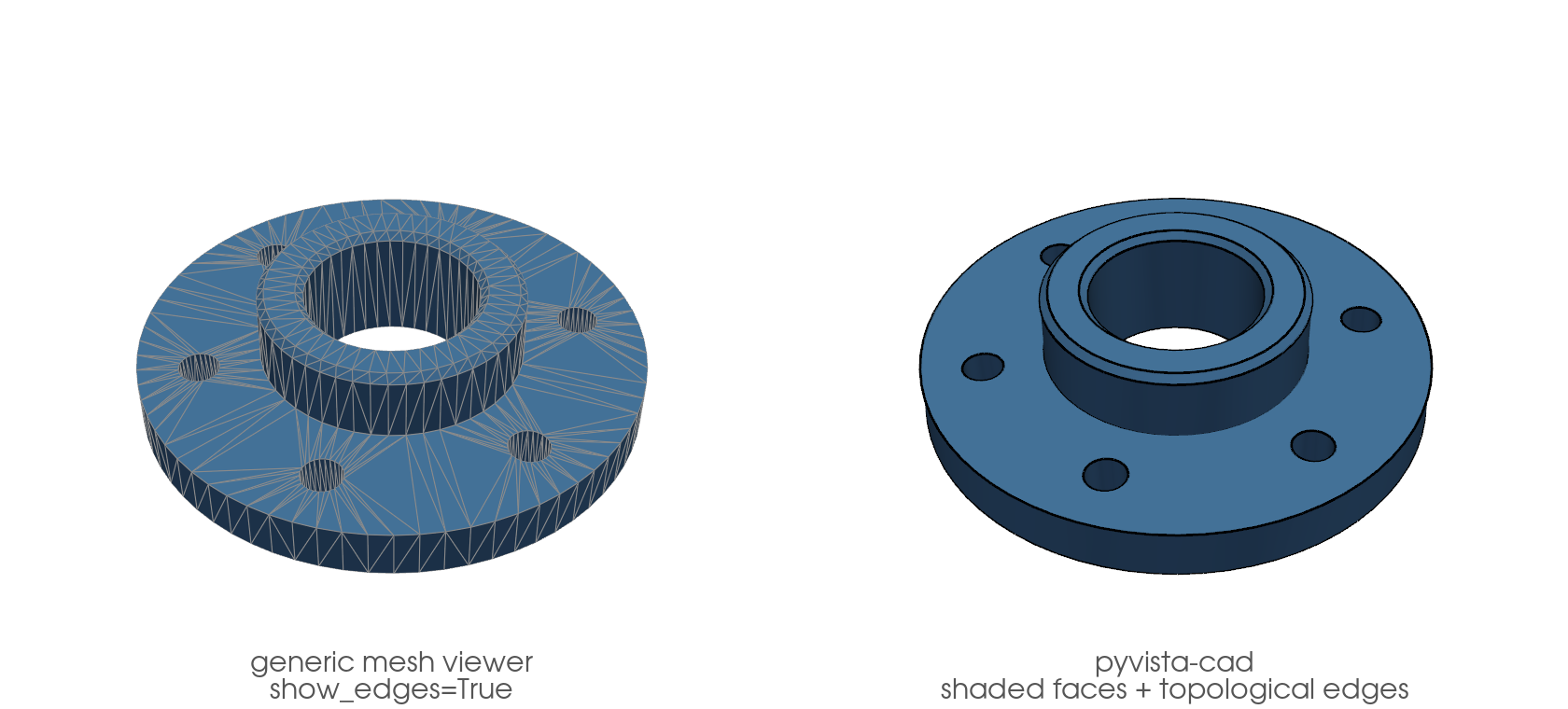
pyvista-cad#
CAD format reading, writing, and CAD-style plotting for PyVista.
pyvista-cad adds STEP, IGES, BREP, DXF, 3MF, IFC, FreeCAD .fcstd,
OpenSCAD .scad, and glTF support to PyVista. It registers a .cad
accessor plus reader entries on pv.read(...). No monkey-patching. No
forks. No direct VTK calls.
The .cad accessor is dual: on a pv.DataSet it resolves to
CadDataSetAccessor, and on a pv.MultiBlock to
CadMultiBlockAccessor. PyVista picks the right one
by object type, so mesh.cad and assembly.cad both work and expose
the surface appropriate to that object (the MultiBlock accessor adds
assembly-tree traversal). See the API reference.
import build123d as b3d
import pyvista as pv

import pyvista_cad

with b3d.BuildPart() as fp:
    b3d.Cylinder(radius=50, height=10)
    with b3d.Locations((0, 0, 5)):
        b3d.Cylinder(
            radius=26,
            height=14,
            align=(b3d.Align.CENTER, b3d.Align.CENTER, b3d.Align.MIN),
        )
    b3d.Cylinder(radius=17, height=80, mode=b3d.Mode.SUBTRACT)
    with b3d.PolarLocations(radius=38, count=6):
        b3d.Cylinder(radius=4, height=80, mode=b3d.Mode.SUBTRACT)
    _top = fp.edges().filter_by(b3d.GeomType.CIRCLE).group_by(b3d.Axis.Z)[-1]
    b3d.chamfer(_top, length=1.5)
part = fp.part

face_color = '#4a7fb5'
camera = [(150.0, -130.0, 175.0), (0.0, 0.0, 2.0), (0.0, 0.0, 1.0)]

pl = pv.Plotter(shape=(1, 2), window_size=(1680, 760), border=False)
pl.background_color = 'white'

pl.subplot(0, 0)
pl.add_mesh(
    pyvista_cad.from_build123d(part).extract_surface(algorithm='dataset_surface'),
    color=face_color,
    show_edges=True,
    edge_color='#8a8a8a',
    line_width=1,
)
pl.add_text('generic mesh viewer\nshow_edges=True', font_size=12, color='#555555', position='lower_edge')
pl.camera_position = camera

pl.subplot(0, 1)
pl.cad.add(part, color=face_color, edge_color='black', line_width=3)
pl.add_text('pyvista-cad\nshaded faces + topological edges', font_size=12, color='#555555', position='lower_edge')
pl.camera_position = camera

pl.link_views()
pl.show()